

QLink-Pay LogoQLink-Pay Logo
Sign in with Intuit
QLink-Pay LogoQLink-Pay Logo

QLink-Pay simplifies accounts receivable by connecting QuickBooks to automated customer communications.

© 2026 QLink-Pay. All rights reserved.

About
  • About
  • How It Works
  • Support
  • Documentation
  • FAQ
  • Blog
  • Contact
Legal
  • Terms of Service
  • Privacy Policy
  • Cookie Policy
QuickBooks-Approved AR Automation

Your Invoices Are Out. So Why Isn’t the Money In?

QLink-Pay automates your entire accounts receivable — invoices, monthly statements, dunning reminders by email and SMS, and payments that sync back to QuickBooks automatically. Set it up once. Get paid on autopilot.

  • ✓ Invoices sent. Payment never came.
  • ✓ Chasing overdue invoices is eating my week.
  • ✓ My best client hasn't paid in 90 days. And I can't afford to lose them.
  • ✓ I built this business. I shouldn't be begging for money.
Sign in with Intuit

No credit card required  ·  Free to connect  ·  Setup in 2 minutes

QuickBooks payment statements
Total Outstanding
$84,000
45+ days overdue
Collections This Month
+38% faster
Invoice #1042 — still unpaid after 45 days
$17,500 sitting in unpaid invoices right now
QuickBooksIntuit PartnerStripeVisaMastercardApple PayGoogle PayPCI-DSS256-bit SSLBank-Level ACH

Find out what slow AR is costing you

Answer 5 quick questions — get your AR health score instantly

See How It Works in 60 Seconds

Watch a real QuickBooks statement get sent — and paid — in under a minute.

Sign in with Intuit
Every month. Same crisis.

Where's The Money? Your Bookkeeper Knows. Your Accountant Knows. You're The Last To Find Out.

  • ✓Invoices sent. Payment never came.
  • ✓Chasing overdue invoices is eating my week.
  • ✓My best client hasn't paid in 90 days. And I can't afford to lose them.
  • ✓I built this business. I shouldn't be begging for money.
Sign in with Intuit
Business professional

“Unpaid accounts? Only my accountant knows.”

Sales this month: $78,340
Cash on hand: $5,850

The Old Way vs QLink-Pay

Business owners hate chasing payments.
We make it stop.

Before QLink-Pay

✗
Statement goes out. No pay button. Silence.
Customers get a PDF they can't act on
✗
You call. You email. You chase the same customers every month.
14+ hours a month wasted on manual follow-up
✗
$84,000 sitting in QuickBooks. Not in your bank.
Average US small business AR outstanding right now
✗
Profitable on paper. No cash in the bank.
82% of small business failures are cash flow — not profit
✗
Find out your AR situation once a month from your bookkeeper.
No real-time visibility — flying blind on cash flow

With QLink-Pay

✓
Smart statement goes out with a Pay Now button — customers pay in one click.
Every invoice is clickable. Payment takes 30 seconds.
✓
Overdue accounts get automatic reminders with payment links.
System chases for you — weekly or bi-monthly, automatically
✓
Cash in your account in 1-2 days. No chasing. No calls.
ACH 1% capped at $20 · Cards 3% + $0.30 · No monthly fee
✓
Every payment syncs to QuickBooks automatically.
Zero manual entry. Books always up to date.
✓
See your full AR position in real time — no bookkeeper needed.
Live aging report. Who owes what. Updated every day.
Key Benefits

Stop chasing. Start collecting.

QLink-Pay turns your QuickBooks statements into payment machines. Here's what changes.

One-Click Payments

Customers get a Pay Now button on every statement. ACH, cards, Apple Pay, Google Pay.

Auto-Sync to QuickBooks

Every payment automatically syncs back to your QuickBooks. No manual entry. Books always current.

Get Paid 3x Faster

Businesses using QLink-Pay collect outstanding AR 3x faster than manual follow-up.

See How Much You Could Save

Calculate your potential savings with faster statement payments

Sign in with Intuit

No credit card · No monthly fees · 2 min setup

Integrations

Works with your existing stack

QLink-Pay connects to QuickBooks and processes payments via Stripe — supporting all major payment methods.


QuickBooks
Stripe
VISA
Apple Pay
Google Pay

ACH bank transfers • Credit & debit cards • Apple Pay • Google Pay

Sign in with Intuit
The Problem Is Real

5.9 million QuickBooks businesses need faster payments

“
I have been requesting this for YEARS. Why can't QuickBooks just add a pay button to statements? We lose days every month chasing payments manually. 13,000+ votes and Intuit still hasn't built this.
T
TobiE, Karen4120, DCoop & moreQuickBooks Community Forum — Real posts from real users
Simple Pricing

No Monthly Fees. No Surprises.

See how QLink-Pay compares to other payment processors

FeatureQuickBooks PaymentsStripe (Direct)QLink-Pay
Monthly fee$0$0$0
Credit card2.99%2.9% + $0.303% + $0.30
ACH1% (no cap!)1.2%1% (cap $20)
Full accounts receivable automation✗✗✓ Every invoice
Bulk statement sending✗✗✓ Unlimited
Auto-sync to QuickBooks✓⚠ Manual✓ Automatic
Clickable invoice links✗✗✓ Every invoice

On a $20,000 ACH payment: QuickBooks charges $200 (no cap). QLink-Pay charges $20. That's $180 saved on one transaction.

Rates as of 2025. QuickBooks rates from Intuit official pricing.

Sign in with Intuit
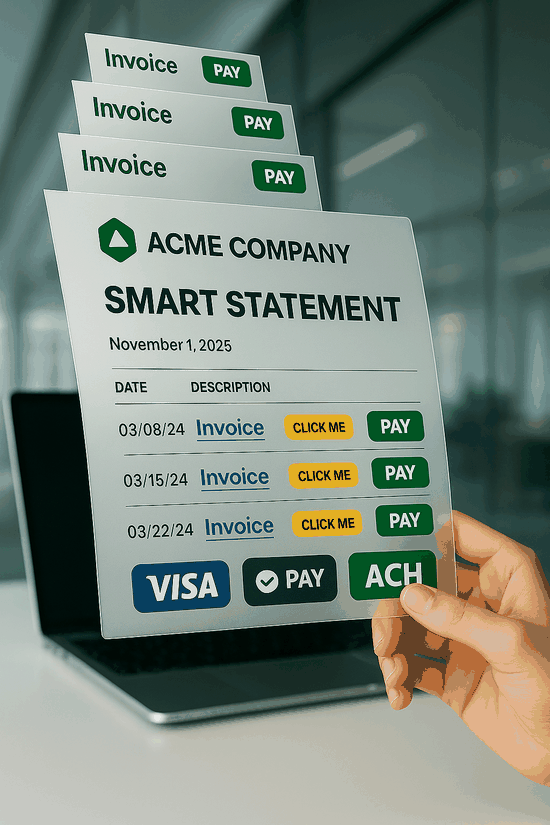
QLink-Pay SMART Statement
Smart Statements

Smart Statements That Get You Paid

Everything QuickBooks statements should have — but don't.

  • Clickable payment links on every invoice — customers tap and pay instantly
  • All open invoices on one statement — no more sending them one by one
  • Embedded Pay Now button — credit card, ACH, Apple Pay, Google Pay
  • Professional PDF with your company logo and branding — not ours
  • Aging summary included — customers see exactly what’s overdue and by how long

QuickBooks has 0 of these features on their statements. We have all 5.
Sign in with Intuit